
Manage the custom values
If you go to your custom field's page (Products > Custom Fields). You will see that all the values that you have assigned to your products, are there.
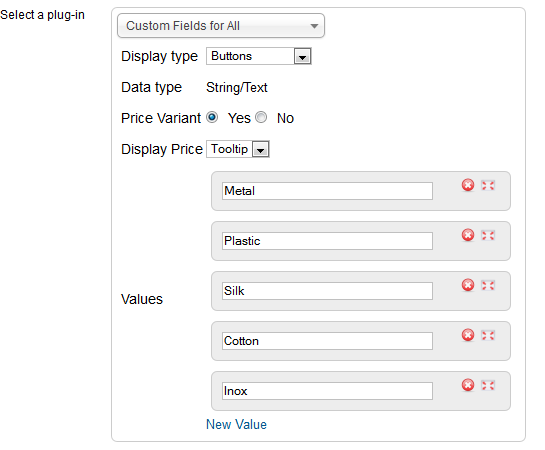
Here is the control panel of your custom field. Every modification you do here will affect all the assignments you have done to your products.
For example if you rename the Metal to Metal/Inox , this modification will be reflected to all the products where Metal is assigned.
If you delete any value, all the assignments of this value to the products will be deleted.
Another important functionality here is that you can order the custom values as you want them to be displayed in your front-end site and in the admin, inside the product form. All the value boxes can change position through drag and drop.