
Create the sub-custom fields
The plugin uses other custom fields for the variations.
So you first have to create those custom fields. These custom fields will be named sub-custom fields from now on.
Go to Virtuemart > Custom Fields and press New to create a new custom field.
As type select String or Plug-ins (if you have compatible plug-ins).
Set Cart Attribute > No and Cart Input > No
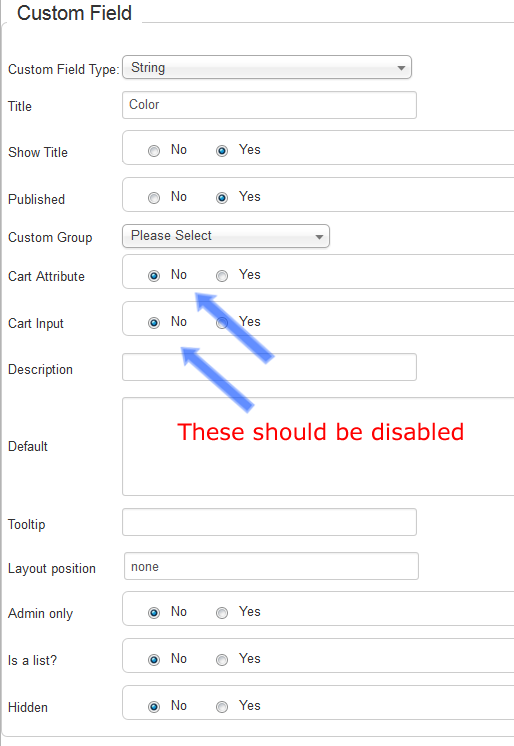
The above describes the general settings of custom fields. In case you are using plugins for the sub-custom fields, please check your plugin's manual, for it's usage.
If you are using Custom Fields For All, you can find the relevant documentation here.
Save and create the next one.
Create as many custom fields as you need.